 Coming soon
better-accessibility
 Jakub Krehel
skills/better-accessibility 9.4k Jakub Krehel · @jakubkrehel ↗ Jakub Krehel's 14 agent skills for building great interfaces: UI polish, typography, color, accessibility, layout, interface copy, reviews and technical illustrations.
 New Jakub Krehel
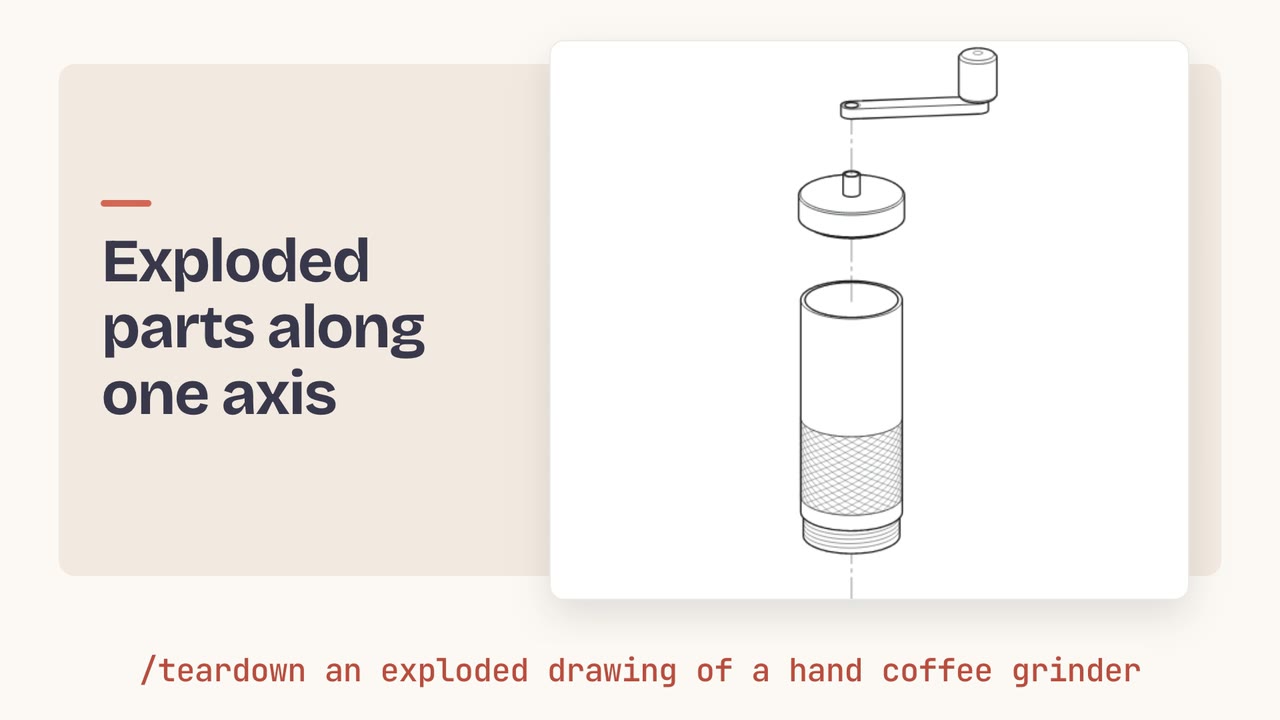
Describe an object, share a photo or name a concept like display pixels, and get an exploded technical illustration on a page you can recolor and download as SVG, PNG or PDF.
skills/teardown 9.4k Coming soon Jakub Krehel skills/better-accessibility 9.4k Coming soon Jakub Krehel skills/better-colors 9.4k Coming soon Jakub Krehel skills/better-interface 9.4k Coming soon Jakub Krehel skills/better-layout 9.4k Coming soon Jakub Krehel skills/better-typography 9.4k Coming soon Jakub Krehel skills/better-ui 9.4k Coming soon Jakub Krehel skills/better-writing 9.4k Coming soon Jakub Krehel skills/break 9.4k Coming soon Jakub Krehel skills/build-design 9.4k Coming soon Jakub Krehel skills/explain-interface 9.4k Coming soon Jakub Krehel skills/interface-review 9.4k Coming soon Jakub Krehel skills/state-machine 9.4k Coming soon Jakub Krehel skills/variant 9.4k Interfaces is a collection of 14 agent skills from design engineer Jakub Krehel that help you build a great interface. They cover the topics he writes about on his site and in his design engineering magazine, Interfaces: UI polish, typography, color systems, accessibility, layout and product writing.
Some skills review and fix, like better-interface, which returns one ranked report across six areas, better-accessibility, which checks against WCAG 2.2, and interface-review, which looks at a branch or pull request for regressions. Others build: build-design turns a Figma file or image into UI with your existing tokens, variant and state-machine render a component's options and states, break stress tests a component, and teardown draws technical illustrations.
You install the whole set with one npx command or as a Claude Code plugin, and it is MIT licensed.
Run the review skills to get one ranked report across accessibility, layout, writing, typography, color and UI polish, with exact values to fix.
Point interface-review at the branch, pull request or uncommitted change to catch the interface problems it introduced or regressed.
Use build-design to match the design with the project's own tokens and components, then variant and state-machine to iterate on it.
Run npx skills add jakubkrehel/skills to install the skills, or in Claude Code add the jakubkrehel/skills plugin marketplace and install the interfaces plugin.
Yes. Interfaces is open source under the MIT license, so you can use and change the skills at no cost.
interface-review, explain-interface, break, state-machine and variant are user-invoked. The others, such as better-typography and better-colors, cover their topic whenever the agent works on that part of an interface.